

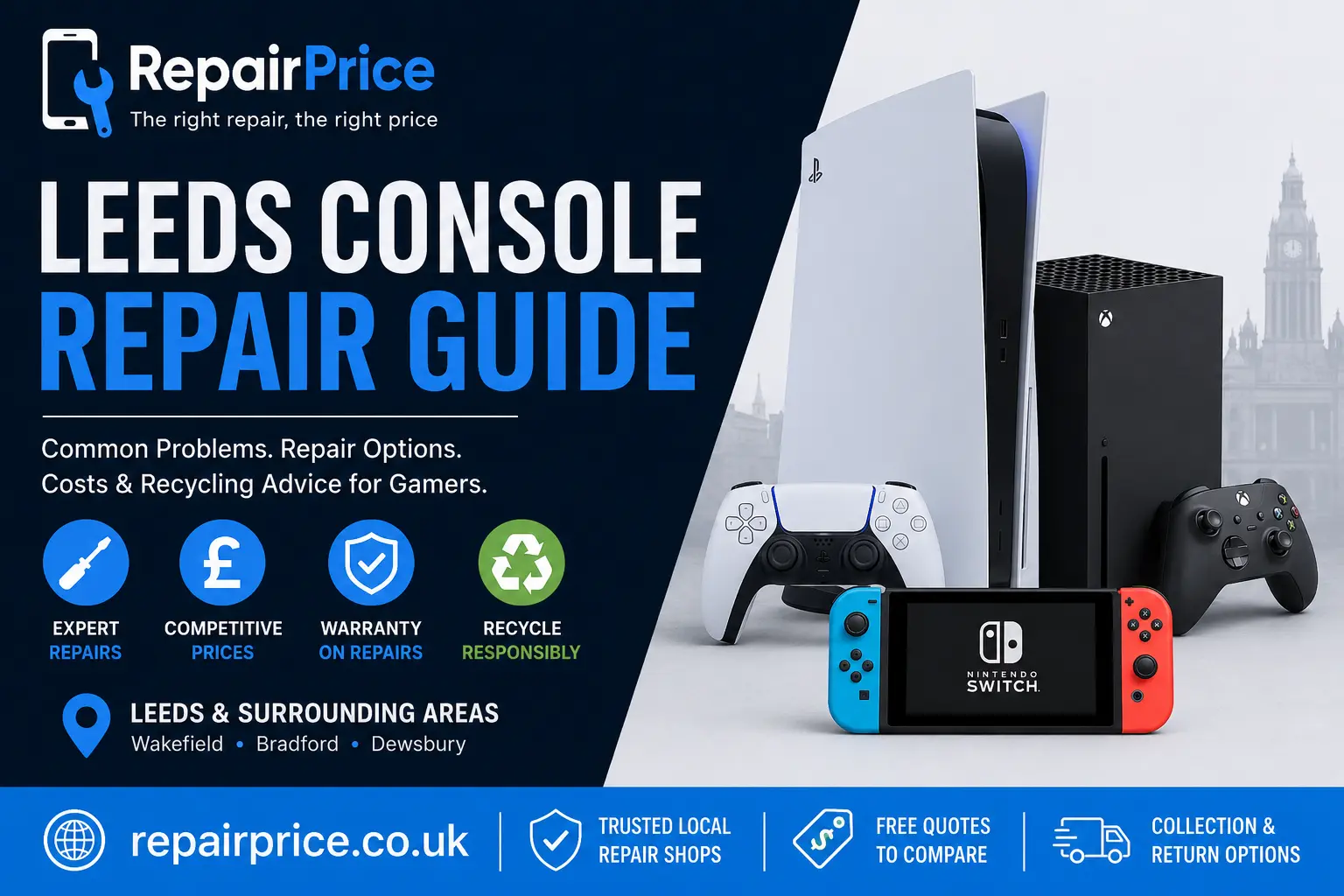
Leeds Console Repair Guide: Faults, Repair Options and When to Recycle
A faulty games console can interrupt entertainment, online gaming and access to digital media. Whether your PlayStation, Xbox or Nintendo console has stopped displaying an image, is overheating, will not power on or keeps disconnecting from the internet, identifying the likely cause is the first step towards a cost-effective solution. This Leeds console repair guide explains common faults, what professional diagnostics may involve, when repairing is worthwhile and when responsible recycling may be the better choice.
RepairPrice helps customers compare options from console repair shops serving Leeds. Instead of contacting multiple businesses individually, you can submit details of the fault and request quotations from suitable repair specialists. Providing the console model, symptoms and any visible damage can help repairers assess the problem more accurately before you book.
Book Your Console Recycling Collection from Leeds on WhatsApp
Common Games Console Problems in Leeds
Modern consoles combine powerful processors, storage drives, cooling systems, wireless components and complex circuit boards. A fault in any of these areas can prevent the console from operating normally. Some problems develop gradually through heat, dust or component wear, while others appear suddenly after impact, liquid exposure or an electrical surge.
Console Not Turning On
A console that does not power on may have a damaged power supply, faulty power connector, failed internal component or motherboard-level problem. Before arranging a repair, check the wall socket, power cable and any external power supply. Avoid repeatedly trying to start a console that makes clicking noises, smells burnt or becomes unusually warm.
Professional testing may include checking voltage input, inspecting the power circuit and looking for shorted components. Visit the Leeds console fault comparison service to request repair options from local specialists.
No Picture or Intermittent Display
If the console powers on but produces no image, the problem may involve the HDMI cable, television input, damaged HDMI port or a fault within the console's video circuitry. Test another HDMI cable and a different screen before assuming the console requires internal repair.
Loose or physically damaged HDMI ports are common, especially when cables are pulled sideways or repeatedly removed. Port replacement normally requires specialist soldering equipment because the connector is attached directly to the main circuit board.
Overheating and Unexpected Shutdowns
Consoles rely on unobstructed airflow to control internal temperatures. Dust accumulation, dried thermal material, blocked vents or a failing fan can cause overheating. Warning signs include loud fan noise, excessive heat, performance drops and sudden shutdowns during demanding games.
Place the console in an open area rather than inside a tightly enclosed cabinet. Do not cover the vents or position the unit directly against a radiator. If overheating continues after improving ventilation, a technician may need to clean the cooling system and inspect the fan, heatsink and thermal interface.
Disc Drive Faults
A disc drive may stop accepting discs, fail to eject them or display repeated read errors. The cause could be dirt on the optical assembly, a worn laser, a damaged loading mechanism or an internal alignment problem. Avoid forcing a disc into the drive because this can damage the rollers and gears.
Some console models pair parts of the disc drive with the original motherboard. For this reason, replacing an entire drive without transferring the correct components may not restore full operation. A repairer familiar with the specific console generation should assess the fault.
Controller Connection and Charging Problems
Controller faults can sometimes be mistaken for console failures. Test the controller with a different cable, reset it where supported and confirm that the charging port is free from compacted dust. If several controllers disconnect from the same console, the problem could involve the console's wireless module or software settings.
Storage Errors and Corrupted Data
Slow loading, installation failures, repeated update errors and corrupted game data may indicate storage problems. Older consoles may use mechanical hard drives that wear over time, while newer systems can experience faults involving solid-state storage or supporting circuitry.
Back up saved data whenever the console remains accessible. Reinstalling system software may resolve some logical errors, but it will not repair a physically failing drive. Important game saves and account information should be secured before any reset or storage replacement.
What a Professional Console Diagnostic May Include
A proper diagnostic should identify the underlying fault rather than simply replace parts by trial and error. The technician may begin by confirming the reported symptoms and checking external accessories. Internal inspection can then reveal corrosion, impact damage, loose connectors, contaminated cooling components or burnt circuitry.
Depending on the fault, testing may cover the power supply, HDMI output, storage device, cooling system, disc mechanism, wireless connection and motherboard power rails. Board-level repairs require greater technical skill because small components must be tested and replaced without damaging nearby parts.
Before approving work, ask whether the quotation includes parts, labour and return delivery. It is also useful to confirm whether diagnostic charges apply if you choose not to proceed and whether the completed repair includes a written warranty.
Should You Repair or Replace Your Console?
Repairing is often worthwhile when the console remains suitable for your needs and the estimated cost is comfortably below the price of a replacement. HDMI port faults, overheating, damaged charging sockets and certain power problems can often be repaired without replacing the entire device.
Replacement may be more practical when the console has extensive liquid damage, multiple failed systems or an uneconomical motherboard fault. Age also matters. A repair to an older console may still make sense if you use physical games that are not compatible with newer hardware or want to preserve saved data and accessories.
Compare the repair price with the cost of a suitable replacement rather than only comparing it with the original retail price. A refurbished console may provide an alternative, but check its condition, storage capacity, included accessories and warranty before purchasing.
Quote from Leeds Console Repair Shops
Average Console Repair Prices in Leeds
Console repair prices in Leeds vary according to the model, the replacement parts required and whether the fault involves a removable component or motherboard-level work. The table below provides estimated price ranges to help you decide whether to request a professional diagnosis.
| Console Repair Service | Typical Leeds Price Range | Common Symptoms | Estimated Repair Time |
|---|---|---|---|
| Console diagnostic assessment | £20–£45 | Unknown fault, intermittent problems or multiple error messages | 1–3 working days |
| HDMI port replacement | £70–£130 | No picture, damaged HDMI socket or intermittent display | 2–5 working days |
| Console cleaning and overheating service | £45–£85 | Loud fan, excessive heat, shutdowns or reduced performance | 1–3 working days |
| Thermal paste replacement | £45–£80 | High temperatures, fan noise or overheating warnings | 1–3 working days |
| Power supply repair or replacement | £60–£120 | Console will not start, switches off or has no power | 2–5 working days |
| Disc drive repair | £60–£110 | Disc not reading, drive not accepting discs or eject failure | 2–5 working days |
| Storage drive replacement | £60–£140 | Slow loading, corrupted data, installation errors or failed updates | 2–5 working days |
| USB or charging port repair | £55–£110 | Accessories not connecting, charging failure or damaged socket | 2–5 working days |
| Wi-Fi or Bluetooth repair | £55–£100 | Controller disconnections, weak wireless connection or no Wi-Fi | 2–5 working days |
| Nintendo Switch USB-C port replacement | £65–£120 | Console not charging, damaged charging port or docking problems | 2–5 working days |
| Nintendo Switch screen replacement | £70–£150 | Cracked display, lines, black screen or touch problems | 2–5 working days |
| PlayStation or Xbox motherboard repair | £90–£180 | No power, HDMI circuit fault, liquid damage or component failure | 3–10 working days |
| Liquid damage assessment and repair | £70–£180+ | Corrosion, power failure, charging problems or intermittent operation | 3–10 working days |
These prices are general estimates rather than fixed quotations. The final cost can depend on the console generation, the severity of the damage, component availability and whether previous repair attempts have affected the motherboard.
A technician should confirm the fault before completing chargeable work. Ask whether the diagnostic fee is included in the final repair price, whether replacement parts are covered by a warranty and whether collection or return delivery carries an additional charge.
For an accurate quotation based on your PlayStation, Xbox or Nintendo fault, submit the console model and symptoms through the Leeds console repair price comparison service.
PlayStation Repair Considerations
PlayStation consoles can develop HDMI damage, overheating, power faults, storage errors and disc drive problems. The exact repair approach depends on whether you have a PS4, PS4 Pro, PS5 or another model. Providing the full model number helps technicians identify compatible components and known fault patterns.
Customers researching likely PS5 expenses can read the PS5 fault and repair cost guide. It explains factors that can influence the final quotation, including parts availability, fault complexity and whether motherboard work is required.
Xbox Repair Considerations
Xbox consoles may suffer from power issues, HDMI output failure, overheating, storage faults, network connection problems and disc drive errors. Xbox Series X and Series S models have different internal designs, so accurate model identification is important when requesting a quotation.
The Xbox repair services guide covers common Xbox symptoms and the types of specialist work that may be required. Reading the guide before submitting an enquiry can help you describe the fault more clearly.
Nintendo Console Repair Considerations
Nintendo Switch faults often involve charging ports, USB-C circuitry, damaged screens, Joy-Con connections, battery problems or liquid exposure. Because the charging port is soldered to the board, attempted home repairs can easily lift contact pads or damage surrounding components.
Before booking a Nintendo repair, confirm whether the problem affects the console, dock, charger or controller. Testing with a compatible accessory may help isolate the faulty part, but stop using the device if the charging connector becomes hot or appears physically damaged.
Related Device Repair Services in Leeds
Console problems are not always isolated. A damaged television may appear to be a console display fault, while an unreliable home network can cause online gaming interruptions. RepairPrice also provides access to other local device repair categories.
For cracked displays, charging faults and battery problems, compare specialists through the Leeds mobile phone repair service. Customers with damaged iPads, Android tablets or other portable screens can explore tablet repair options across Leeds.
If your gaming laptop has developed overheating, storage or display problems, use the Leeds laptop repair comparison page. Where the console appears to work but the screen has lines, sound without a picture or HDMI input failure, consult the television repair service for Leeds households.
Console Repair Options Near Leeds
Customers outside central Leeds may prefer to compare technicians closer to home. Local availability, collection coverage and turnaround times can vary, so choose the location page that best reflects where the console is based.
Residents to the south-east can review console repair specialists serving Wakefield. Those travelling from the west can compare Bradford games console repair options, while customers in the surrounding Kirklees area can request help through the Dewsbury console repair service page.
Preparing Your Console for a Repair
Remove discs, memory cards and unnecessary accessories unless the repairer asks you to include them. Photograph the console's condition before collection or postage and record the serial number. Use suitable protective packaging, especially around protruding ports and corners.
Sign out of accounts where possible and remove stored payment details. Back up save data to cloud storage or an external device if the console remains operational. Do not perform a factory reset unless the technician recommends it, as the existing error information may assist with diagnosis.
Describe when the problem began, whether the console was dropped, whether liquid was involved and what troubleshooting has already been attempted. Clear information can reduce diagnostic time and prevent unnecessary repeated testing.
Avoiding Further Console Damage
Do not use household ovens, heat guns or improvised reflow methods on a faulty console. Excessive heat can warp the board, damage plastics and make professional repair more difficult. Similarly, repeatedly inserting a damaged HDMI cable can worsen a loose port.
Avoid opening the console unless you have the correct equipment and experience. Internal power components can retain electrical charge, and incorrect disassembly may tear cables or strip screws. A previous repair attempt should always be disclosed to the technician because missing shields, altered wiring or replaced components may affect the diagnostic process.
When Console Recycling Is the Better Option
Not every console can be repaired economically. Recycling may be appropriate when the motherboard is severely corroded, replacement parts are unavailable or the repair cost approaches the price of a reliable replacement. A console should not be placed in ordinary household waste because it contains metals, plastics, batteries and electronic components that require controlled processing.
The Leeds device recycling service provides information about passing unwanted electronics into an appropriate reuse or recycling route. For homes and organisations clearing several types of equipment, the electronics recycling service in Leeds covers a broader range of electrical devices.
Before recycling, remove discs and detachable storage devices. Sign out of your accounts and perform a factory reset where the console still works. If the machine cannot be powered on, ask the recycling provider how data-bearing storage is handled.
How Console Circuit Boards Can Be Recovered
Inside every console is a populated circuit board containing processors, memory, connectors and other electronic components. When a device cannot be reused or repaired, specialist processors may separate circuit boards from casings, cables, drives and cooling assemblies.
Higher-grade boards can contain recoverable copper and small quantities of precious metals. They must be processed through suitable recycling channels rather than mixed with general scrap. Businesses handling quantities of damaged electronics can learn more through the Class 3 circuit board recycling service.
Recycling should remain the final stage after reuse and repair have been considered. Extending the working life of a console can preserve the energy, materials and manufacturing effort already invested in the device.
How to Compare Leeds Console Repair Quotes
Do not select a repairer using price alone. Check whether the quotation is based on a confirmed diagnosis or only an initial estimate. Ask which parts will be used, how long the repair is expected to take and what happens if an additional fault is discovered.
A clear quotation should explain the proposed work and any conditions attached to the warranty. For motherboard repairs, ask whether the business performs the work directly or sends the console to another specialist. Collection and return arrangements should also be confirmed before the device changes hands.
RepairPrice is designed to simplify this comparison process. Submit one enquiry with accurate information and review the responses you receive. You remain free to assess the price, location, experience and proposed repair before making a booking.
Frequently Asked Questions About Console Repair in Leeds
How long does a console repair take?
Turnaround depends on the fault, console model, technician workload and parts availability. Straightforward cleaning or port repairs may be completed more quickly than intermittent motherboard faults that require extended testing.
Can a damaged HDMI port be replaced?
In many cases, yes. The existing port must be removed and a compatible replacement soldered to the board. The technician should also inspect the surrounding filters, pads and video circuitry in case the physical damage extends beyond the connector.
Is it worth repairing an older console?
It can be worthwhile when the repair is affordable, the console supports games or accessories you still use and its overall condition is good. Compare the quotation with the realistic cost of a suitable replacement.
Can saved games be recovered?
Recovery depends on where the data is stored and the nature of the fault. Cloud-synchronised saves may remain available through your account. Locally stored data may be recoverable if the storage device and relevant motherboard components still function.
What should I do with a console that cannot be repaired?
Remove personal data where possible and use a responsible electronic recycling service. Do not place the console, controller batteries or internal components in a general rubbish bin.
Request Console Repair or Recycling Help in Leeds
A console that will not start, display an image, read discs or remain cool may still be repairable. Begin with basic external checks, stop using the device if there are signs of overheating or electrical damage, and request a professional assessment before purchasing a replacement.
Use the Leeds console repair page to compare suitable services, or choose a responsible recycling route when repair is no longer practical. Providing the model, symptoms, condition and history of the fault will help local specialists respond with more relevant information.