

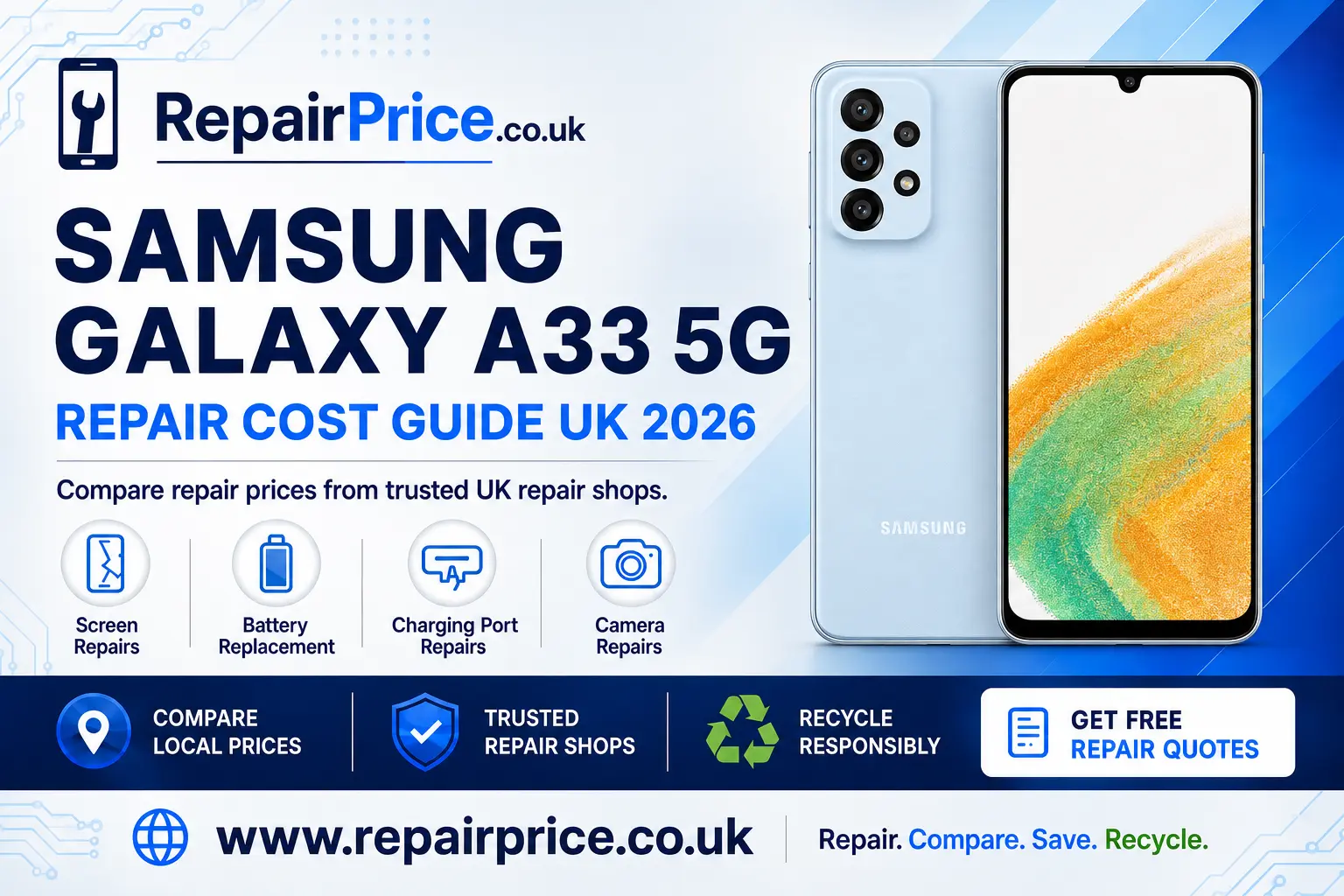
Samsung Galaxy A33 5G Repair Guide: Costs, Common Faults and Recycling Options
If your Samsung Galaxy A33 5G has a cracked display, weak battery, unreliable charging port or faulty camera, you may not need to replace the entire phone. Many common faults can be repaired for considerably less than the cost of buying another device. This guide explains how to identify likely problems, compare repair options and decide whether repairing or recycling your Galaxy A33 5G offers better value.
RepairPrice.co.uk helps you research suitable services before committing to a repair. Start by visiting the Samsung Galaxy A33 5G repair price comparison page to review available repair categories and find an appropriate route for your damaged phone.
Book Your Samsung Galaxy A33 5G Recycling Collection by WhatsApp
Is the Samsung Galaxy A33 5G Worth Repairing?
The Galaxy A33 5G remains a capable everyday smartphone. Its 5G connectivity, AMOLED display, useful camera system and practical software features mean that a working handset can still provide good value. A single damaged component does not necessarily make the whole phone unusable, especially when the motherboard, storage and main internal systems remain operational.
Repair is often worth considering when the phone has one identifiable problem, such as a broken screen, reduced battery capacity or obstructed charging socket. It may also be worthwhile when your photographs, contacts, authentication applications or business information are stored on the device and have not been backed up.
Before approving any work, compare the repair quotation with the current value of a working Galaxy A33 5G. Ask whether the quoted price includes parts, labour, VAT, diagnostic work and a repair warranty. The cheapest advertised figure is not always the best option if essential charges are added later or the replacement component is unsuitable.
You should also consider the general condition of the handset. A phone with a cracked display but a healthy battery may be a strong repair candidate. A device with extensive liquid damage, a bent chassis and several failing components may be better directed towards responsible recycling.
Common Samsung Galaxy A33 5G Problems
The correct repair begins with an accurate diagnosis. Similar symptoms can have different causes, so avoid ordering a replacement component based only on an initial assumption. For example, a phone that will not charge could have a damaged cable, dirty connector, exhausted battery, charging-port fault or motherboard-level problem.
Cracked or Unresponsive Display
A damaged screen is one of the most visible Galaxy A33 5G faults. Warning signs include broken glass, coloured lines, black patches, flickering, touch-screen dead zones or a display that remains dark while the phone continues to vibrate or produce sounds.
If the glass is sharply broken, stop pressing the damaged area and avoid exposing the phone to moisture. Back up accessible information as soon as possible. You can then compare display replacement options for the Galaxy A33 5G and ask each repairer what type of screen assembly will be fitted.
Confirm whether the repair includes the full display assembly, installation, testing and warranty coverage. It is also sensible to ask whether functions such as touch response, brightness control and the fingerprint sensor will be checked before the device is returned.
Rapid Battery Drain or Unexpected Shutdowns
Rechargeable batteries lose capacity over time. Your Galaxy A33 5G may require attention if its charge percentage falls rapidly, it switches off unexpectedly, becomes unusually warm during ordinary use or requires several charging sessions each day.
Start by checking battery usage in the phone settings. A recently installed application, constant background synchronisation, high display brightness or poor mobile reception can increase power consumption without indicating a hardware defect. Install available software updates, restart the phone and observe its performance under normal use.
If the problem continues, review a replacement battery service for an ageing Galaxy A33 5G. A competent repairer should inspect the handset, fit an appropriate battery and test charging, temperature and power stability after installation.
Stop using the device if the battery appears swollen, the rear cover begins lifting or the phone becomes dangerously hot. Do not compress, bend or puncture a swollen lithium-ion battery. Keep it away from heat and arrange professional handling promptly.
Charging Port and Connection Faults
A charging plug that feels loose, works only at a particular angle or disconnects with slight movement can indicate contamination or physical damage inside the USB-C port. However, the cable and power adapter should be tested before the phone is opened.
Use a compatible cable and charger that are known to work correctly. Inspect the socket under good lighting, but do not insert metal objects or apply liquid cleaner. Compacted pocket lint can prevent the connector from seating fully, while bent contacts or internal corrosion may require professional repair.
If basic checks do not resolve the fault, arrange a technician assessment through the Galaxy A33 5G charging-port diagnostic service. Ask whether the quoted work covers cleaning, connector replacement or further board-level investigation, because these are different procedures with different costs.
Camera Focus, Lens and Image Problems
Camera faults may produce blurred photographs, focusing errors, unexplained shaking, a black preview or an application that closes when a lens is selected. First clean the exterior lens carefully, remove any case obstructing the camera and restart the phone. Test multiple camera modes to determine whether one lens or the entire application is affected.
Persistent hardware symptoms can be investigated through a specialist camera repair option for the Samsung A33 5G. Explain whether the fault followed a drop, impact or contact with water. This information can help the technician distinguish a damaged camera module from a connector, lens-cover or motherboard issue.
What to Do Before Sending the Phone for Repair
Create a current backup before handing the device to a repairer whenever the phone remains usable. Save important photographs, documents, contacts and authentication information to an appropriate secure location. A routine component replacement should not normally erase data, but unexpected complications can occur with any electronic repair.
Remove the SIM card and memory card unless the repair business specifically needs them for testing. Record the phone's condition and note the IMEI or serial number for your records. If access credentials are required for diagnostics, ask how the repairer protects customer privacy and whether a restricted maintenance mode can be used.
Describe the fault precisely. Include when it began, whether it is intermittent and what happened immediately beforehand. A clear account can reduce diagnostic time and help prevent an unrelated component from being replaced unnecessarily.
Request a written quotation and confirm whether diagnostic charges apply if you decline the proposed work. Ask about the replacement part, estimated turnaround time, warranty period and any circumstances that could change the final price.
Request a Quote from UK Galaxy A33 5G Repair Shops
Finding Galaxy A33 5G Repair Services Near You
Using a local repair provider can make it easier to discuss the fault, deliver the handset safely and return if follow-up testing is required. Availability, prices and turnaround times vary between businesses, so compare more than one suitable service where possible.
Customers in West Yorkshire can explore Galaxy A33 5G repair choices available around Wakefield. Ask whether the required part is held in stock before travelling, particularly if you need the phone returned on the same day.
For users in Somerset, the Wells Galaxy A33 5G service comparison page provides a more locally relevant starting point for screen, battery, charging and camera enquiries.
Customers based in central London can investigate Samsung A33 5G technicians serving Westminster. Confirm the full quotation in advance and ask whether collection, postal or appointment-based repair arrangements are offered.
People in Hampshire can use the Winchester Galaxy A33 5G repair service guide to identify the right category of support before contacting a provider.
For repairs in the West Midlands, compare Galaxy A33 5G repair services across Wolverhampton. Provide the repairer with a detailed description of the fault to improve the accuracy of the initial quotation.
Customers in Worcestershire can review local Samsung A33 5G repair support in Worcester. Check opening hours, part availability and warranty terms before arranging a visit.
Repair Quality Questions to Ask
A professional repair should include more than fitting a new component. The phone should be tested for the original fault and for functions that may have been affected during disassembly. Depending on the repair, this could include the display, touch controls, cameras, microphones, speakers, charging connection, wireless connectivity and biometric features.
Ask whether the repairer offers a written warranty covering the installed part and labour. Find out what is excluded, such as fresh impact damage, liquid ingress or faults in unrelated components. Keep the invoice and warranty information after collecting the handset.
Water resistance should be discussed clearly. Opening a sealed smartphone can affect its original protection, even if replacement adhesive is installed. Unless the repaired phone has undergone a suitable pressure test, avoid assuming that it retains the same resistance it had when it left the factory.
Once the phone is returned, test it before restoring heavy everyday use. Check the repaired feature, make a call, connect the charger, test the cameras and confirm that Wi-Fi and mobile data operate normally. Report any concern to the repair business promptly.
When Recycling May Be Better Than Repairing
Repair is not always the most economical or environmentally appropriate decision. Recycling may be preferable when several major components are damaged, the chassis is severely distorted, corrosion has spread across the internal electronics or the estimated cost approaches the value of a suitable replacement phone.
If your handset cannot be restored economically, use a recognised route to recycle an unrepairable Samsung mobile responsibly. Proper processing helps recover reusable materials and reduces the risk of batteries and electronic components entering general household waste.
RepairPrice.co.uk also provides a broader electronics recycling and collection service for households and organisations managing unwanted devices. This can be useful when you have additional phones, tablets, computers or other electronic equipment awaiting disposal.
Before releasing a phone for recycling, back up anything you need, sign out of personal accounts and remove the SIM and memory cards. Perform a factory reset when the device remains functional. If the handset will not switch on, ask the recycling provider about its data-handling process and whether physical data destruction is available when necessary.
Why Mobile Phone Circuit Boards Matter
The printed circuit board inside a smartphone supports processors, memory, power-management components, connectors and communication hardware. When a device is dismantled correctly, circuit boards can enter specialist recovery streams instead of being discarded with mixed waste.
Repair businesses, IT departments and organisations accumulating damaged handsets can learn about responsible recycling for mobile phone circuit boards. Separating suitable material can improve traceability and help valuable metals re-enter managed recovery processes.
Values vary according to board type, condition, quantity, contamination and market demand. Consult the mobile phone circuit-board price information before making assumptions about a batch. A quoted category or rate should always be confirmed with the receiving recycler.
Individual consumers should not dismantle phones to recover circuit boards. Lithium-ion batteries can ignite if punctured or short-circuited, and broken components may expose sharp edges. Complete devices should be passed to an appropriate repair or recycling provider.
How to Decide Between Repair, Replacement and Recycling
Choose repair when the fault is clearly defined, the remainder of the handset is in reasonable condition and the quotation represents sensible value. A screen, battery, charging port or camera repair can extend the useful life of the device and delay the cost of buying another phone.
Consider replacement when the Galaxy A33 5G has multiple expensive faults, no longer supports your practical requirements or has become unreliable despite previous repairs. If you replace it, do not leave the damaged handset forgotten in a drawer. Arrange reuse, parts recovery or recycling through a responsible route.
Choose recycling when the device is unsafe, extensively corroded, structurally damaged or uneconomical to restore. Keeping batteries and circuit boards out of general waste reduces avoidable environmental risks and gives recoverable materials a chance to be processed correctly.
The best decision balances repair cost, phone condition, data requirements, expected remaining lifespan and environmental impact. Compare the options carefully rather than assuming that every broken smartphone must be replaced.
Samsung Galaxy A33 5G Repair Questions
How much does a Galaxy A33 5G repair cost?
The price depends on the faulty component, replacement-part quality, labour, location and whether additional damage is discovered. Obtain a written quotation that explains what is included before authorising the work.
Can a cracked Galaxy A33 5G screen be repaired?
In many cases, yes. The correct solution depends on whether only the outer surface is damaged or whether the AMOLED display and touch layer are also affected. A technician should inspect the complete screen assembly.
Will a repair erase my data?
A standard component replacement does not usually require data deletion, but no repair is completely risk-free. Back up important files before handing over the phone and ask the provider about its privacy procedures.
How long should a Galaxy A33 5G repair take?
Turnaround depends on diagnosis, part availability and the complexity of the fault. Some routine repairs may be completed quickly, while liquid damage and motherboard faults can require longer inspection and testing.
Can I recycle a Galaxy A33 5G that will not switch on?
Yes. A non-working handset can still contain batteries, circuit boards and other materials requiring responsible handling. Remove accessible cards and ask the recycler about data security if a factory reset cannot be completed.