

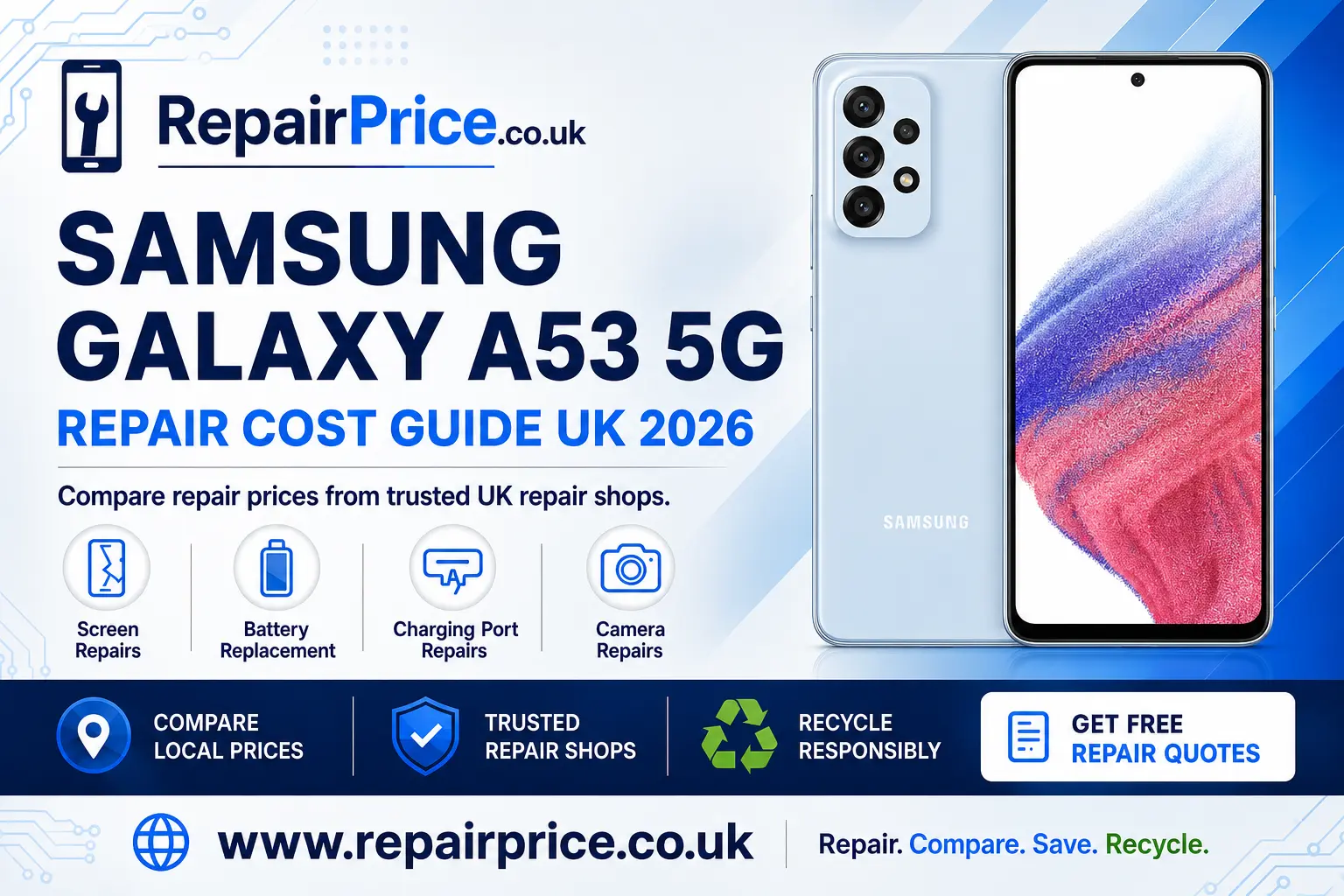
Samsung Galaxy A53 5G Repair Guide: Faults, Costs and Repair Options
The Samsung Galaxy A53 5G remains a capable everyday smartphone, so a damaged screen, weak battery or unreliable charging connection does not automatically mean that it needs replacing. Many common faults can be repaired for considerably less than the cost of buying another phone. This guide explains the main Samsung Galaxy A53 5G repair options, the signs that professional attention may be required and when recycling could be the more practical choice.
Before booking a repair, identify every problem affecting the device and ask the repair shop what is included in its price. A proper comparison should consider the replacement part, labour, warranty, turnaround time and any diagnostic charge. You can begin by using RepairPrice to compare repair prices for the Samsung Galaxy A53 5G from relevant repair businesses.
Book Your Samsung Galaxy A53 5G Recycling Collection by WhatsApp
Is the Samsung Galaxy A53 5G Worth Repairing?
Repair is often worthwhile when the phone still performs well, holds your required applications and has only one or two identifiable faults. Replacing a broken component can extend the useful life of the handset, help you avoid the inconvenience of transferring accounts and reduce demand for another newly manufactured device.
The decision should be based on the total repair cost rather than the age of the phone alone. A screen replacement or new battery may provide good value if the frame, main circuit board and other important components remain in usable condition. If the handset has extensive liquid damage, a distorted chassis and several failed parts, ask for a diagnostic assessment before authorising expensive work.
Compare the quotation with the realistic value of a working Galaxy A53 5G. Also consider whether the proposed repair includes an appropriate warranty. The lowest advertised price is not necessarily the best choice if it excludes fitting, uses a poor-quality part or offers no support if the same fault returns.
Samsung Galaxy A53 5G Screen Damage
A cracked display is one of the most visible Galaxy A53 5G faults, but screen problems are not limited to broken glass. Dark patches, coloured lines, flickering, unresponsive areas and a completely black display can indicate damage to the screen assembly. The phone may still vibrate or receive calls even when no image is visible.
If the glass is cracked, avoid pressing heavily on the damaged area. Small fragments can become loose, while pressure may worsen damage to the display underneath. Keep the handset dry and back up accessible information before taking it to a repairer. You can review Galaxy A53 5G display replacement options when comparing available services.
Ask whether the quotation covers the complete display assembly, fitting and testing. It is also sensible to confirm how fingerprint recognition, touch response, brightness and display colour will be checked after the repair. A careful repairer should inspect the frame because a bent or damaged housing can prevent the replacement screen from sitting correctly.
When the Battery Needs Replacing
Battery performance gradually declines through normal use. Warning signs can include rapid power loss, unexpected shutdowns, slow charging, excessive heat or a battery percentage that changes suddenly. These symptoms can also be caused by applications, charging accessories or software activity, so some basic checks should be completed before replacing the battery.
Restart the phone, install legitimate software updates, examine battery usage and test a suitable charging cable and adapter. If one application is consuming an unusual amount of power, resolve that issue before assuming that the battery is defective. When the handset continues to drain quickly during ordinary use, a professional battery assessment may be appropriate.
A swollen battery requires immediate attention. Stop charging or pressing the phone if the rear panel or screen begins lifting away from the frame. Do not puncture, bend or attempt to flatten the battery. Arrange a safe Samsung A53 5G battery replacement service and follow the repair provider's storage instructions until the device can be inspected.
Charging-Port Problems and Diagnostic Checks
An unreliable charging connection does not always mean that the port must be replaced. Compact lint can collect inside the opening and stop the cable from seating properly. A worn cable, unsuitable adapter, damaged socket or software problem can produce similar symptoms. Test another compatible charging setup and examine the connector for obvious damage.
Avoid inserting metal objects or applying liquid cleaners to the charging port. Both actions can cause short circuits or damage the internal contacts. If the plug feels loose, charging repeatedly stops or the phone is no longer recognised by a computer, use a repair specialist to investigate the Galaxy A53 5G charging fault.
A useful diagnosis should distinguish between contamination, connector damage, charging-board failure and a deeper problem involving the battery or main board. Ask the repair shop to explain what it has tested before approving a replacement component. This reduces the likelihood of paying for a port repair that does not resolve the underlying issue.
Camera Faults, Blurred Images and Focusing Problems
Camera trouble can appear as blurred photographs, failed focusing, shaking images, black previews or an application that closes unexpectedly. Begin by cleaning the external lens surface with a suitable soft cloth, restarting the handset and checking whether both the front and rear cameras are affected. Removing a poorly fitted case or camera protector can also resolve some image-quality complaints.
If the camera stopped working after a drop, the module, connector or surrounding housing may have been damaged. Moisture can also create intermittent camera faults. When basic checks do not help, explore specialist camera repairs for the Galaxy A53 5G and ask whether the quotation includes focusing, video, flash and image-stabilisation tests where applicable.
How to Prepare the Phone for Repair
Back up important photographs, contacts, documents and authentication information whenever the phone remains accessible. A repair should not normally erase personal content, but no storage device is completely risk-free. Confirm that the backup has completed successfully before handing the device over.
Remove the SIM card and any memory card unless the repair business specifically requires them for testing. Record the handset's visible condition and identifying details for your own reference. Disable security features only when genuinely necessary and ask the repairer how it protects customer information during diagnostics.
Describe every known symptom, including when the fault started and whether the phone was dropped, exposed to liquid or repaired previously. Accurate information can shorten the diagnostic process. If the issue is intermittent, explain the circumstances that trigger it rather than demonstrating only the current state of the handset.
Comparing Galaxy A53 5G Repair Quotations
A clear quotation should state which component will be replaced, the expected repair time and the warranty terms. Ask whether the price includes labour and applicable taxes. You should also find out what happens if diagnostics uncover another fault or if the repair cannot be completed.
Part quality can influence brightness, touch response, durability, battery performance and the overall fit of the handset. Repairers may offer different grades of replacement component, so ask for a plain explanation of the available choices. Keep the receipt and any warranty document after collecting the phone.
After repair, test the relevant function before leaving whenever possible. For a screen repair, check touch response, brightness and fingerprint operation. Following a battery replacement, confirm that the phone charges normally. After a charging-port repair, make sure the connector sits securely. Camera repairs should be checked using photographs, video and focusing at different distances.
Request a Samsung Galaxy A53 5G Quote from UK Repair Shops
Finding Samsung Galaxy A53 5G Repair Services Near You
Repair availability, prices and turnaround times can differ by location. Local comparison pages can help you move from general guidance to relevant repair choices. Customers in Devon can explore Galaxy A53 5G repair providers serving Exeter.
For customers in Gloucestershire, the Gloucester Samsung A53 5G repair comparison provides a more locally focused route. People near Herefordshire can instead review repair choices for Galaxy A53 5G owners in Hereford.
Users in East Yorkshire can search for Samsung A53 5G repair support around Hull. In Lancashire, relevant options can be found through the Lancaster Galaxy A53 5G repair page. West Yorkshire customers can also compare local Samsung A53 5G repair services in Leeds.
Whichever location you choose, confirm the shop's address, opening arrangements, expected completion time and warranty before travelling. If the device is being posted, use secure packaging, a tracked service and the repair company's correct delivery instructions.
When Recycling Becomes the Better Option
Not every damaged Galaxy A53 5G should undergo a major repair. Recycling may be more sensible when the phone has widespread liquid damage, a severely distorted frame, repeated main-board failures or repair costs that exceed its useful value. It may also be appropriate when parts are unavailable or the device cannot be restored safely.
Do not place a phone or lithium battery in general household rubbish. Phones contain batteries, circuit boards, metals and other materials that require controlled treatment. A specialist route helps reduce unsafe handling while allowing reusable materials to re-enter responsible recovery streams.
Before recycling an accessible handset, back up required information, sign out of personal accounts and perform an appropriate factory reset. Remove the SIM and memory cards. If the screen is unusable or the phone will not power on, ask the recycling provider how it manages devices that may still contain personal information.
Owners who are ready to retire the handset can review responsible recycling routes for unwanted mobile phones. For a broader selection of supported equipment and collection information, visit the RepairPrice electronics recycling service.
Why the Mobile Phone Circuit Board Matters
The circuit board is one of the most complex parts of a smartphone. It supports essential components and connections required for processing, storage, power management and communication. When a handset is beyond economical repair, responsible circuit-board recovery can be more useful than allowing the complete device to remain unused in a drawer.
Boards should be handled through suitable recycling channels because damaged electronic assemblies may contain batteries, sharp sections or residues that are unsuitable for household disposal. Businesses and individuals with separated boards can learn about specialist recycling for mobile phone circuit boards.
Material values can vary according to board type, condition, quantity and the recycler's acceptance criteria. Anyone comparing potential returns should consult the mobile phone circuit-board price information before assuming that every board will receive the same valuation.
Repairing Versus Replacing the Galaxy A53 5G
Repair is generally the stronger option when a clearly identified component has failed and the remainder of the phone is dependable. Keeping the existing device may save money, preserve a familiar setup and reduce unnecessary electronic waste. Battery, charging, screen and camera problems are all faults worth assessing before replacement.
Replacement may be more practical when several major components have failed, security or performance no longer meets your needs, or the repair estimate is disproportionate to the handset's condition. Even then, the old device should be reused for parts or recycled responsibly instead of being discarded with general waste.
The most useful approach is to obtain a clear diagnosis first, compare complete quotations and decide using the phone's overall condition. Do not approve unrelated repairs simply because the handset is already open. Ask which work is essential, which work is optional and how each item changes the warranty or expected lifespan.
Frequently Asked Questions
How long does a Samsung Galaxy A53 5G repair take?
Turnaround depends on the fault, replacement-part availability and the repairer's workload. Straightforward component replacements may be completed relatively quickly, while liquid damage and circuit-board diagnostics can take longer. Confirm the estimated completion time before booking.
Will repairing the phone delete my data?
Many hardware repairs do not require stored information to be erased, but data can never be guaranteed during work on a damaged electronic device. Create and verify a backup before repair whenever the handset remains usable.
Can I continue using an A53 5G with cracked glass?
Continued use can allow cracks to spread and may expose the display to moisture or further impact. Loose glass can also make the handset uncomfortable or unsafe to handle. Arrange an assessment rather than relying on a temporary cover for an extended period.
Should I replace a swollen Galaxy A53 5G battery myself?
A swollen lithium battery should not be punctured, compressed or removed without the correct knowledge and equipment. Stop charging the phone and seek professional guidance. Follow the repair or recycling provider's instructions for safe temporary storage and transport.
What should I check after the repair?
Test the repaired function and related features. Also check mobile connectivity, Wi-Fi, sound, microphones, buttons, cameras and charging where relevant. Report any unexpected behaviour within the repairer's stated warranty period.
Final Samsung Galaxy A53 5G Repair Advice
A broken Samsung Galaxy A53 5G does not necessarily need to become electronic waste. Screen damage, ageing batteries, charging faults and camera problems can often be assessed and repaired. Compare the full cost, part choice, warranty and turnaround time before selecting a service.
If the phone is no longer safe or economical to restore, move it into an appropriate recycling route. Preparing the handset correctly, protecting personal information and using specialist phone or circuit-board services can help recover useful materials responsibly. Whether you repair or recycle, making an informed decision is better than leaving the damaged device unused.