

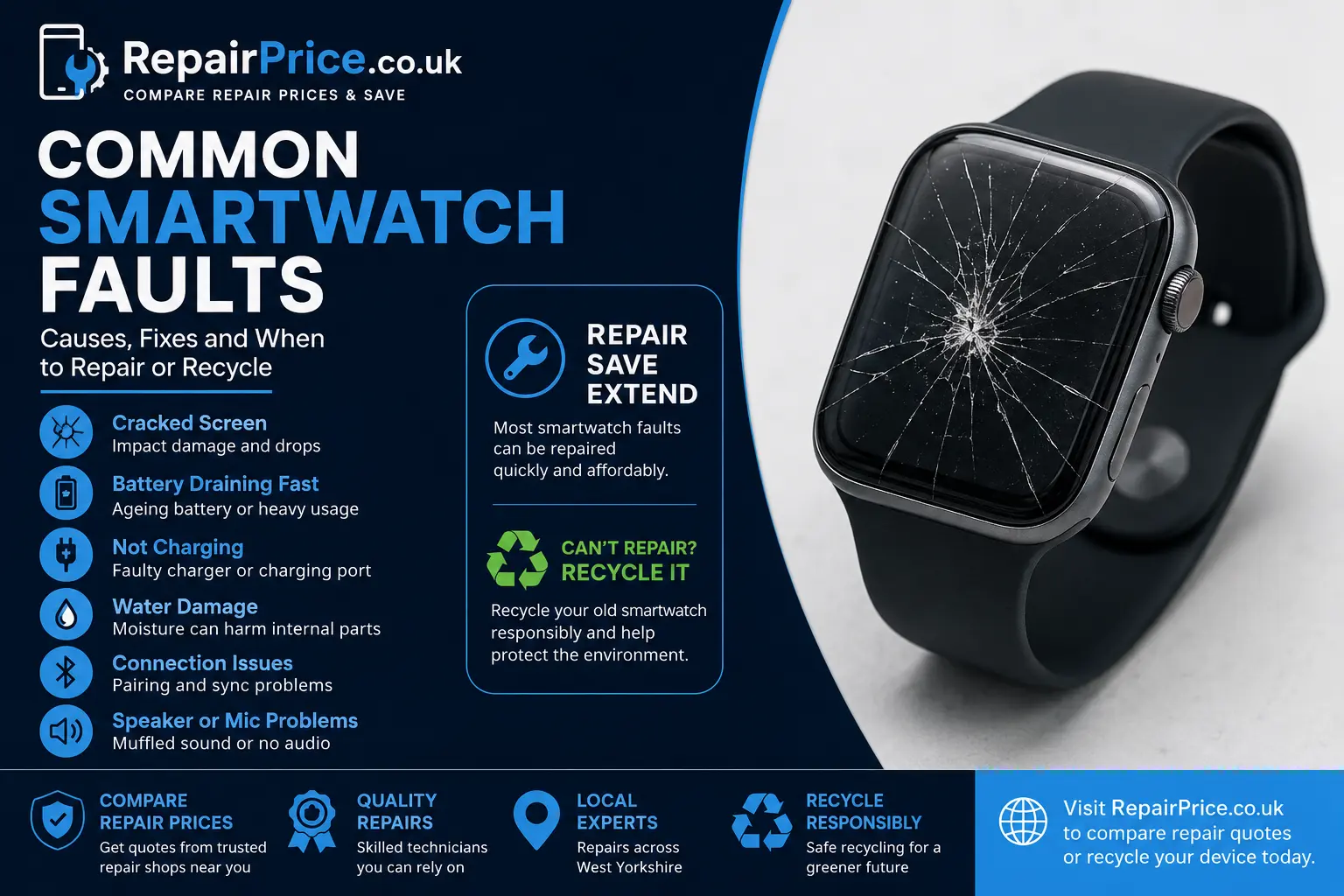
Common Smartwatch Faults: Causes, Repair Options and When to Recycle
Smartwatches are exposed to daily wear, accidental impacts, moisture, heat, charging cycles and frequent software updates. Although these compact devices are designed to be durable, their small screens, batteries, sensors and internal circuit boards can still develop faults. A problem that initially appears minor may become more expensive if it is ignored, particularly when damaged glass allows moisture or dirt to reach the internal components.
This guide explains the most common smartwatch faults, what may cause them, which problems can usually be repaired and when recycling may be the more responsible option. RepairPrice.co.uk helps smartwatch owners request quotes from repair shops so they can compare their options before paying for a repair or replacing their device.
Whether you own an Apple Watch, Samsung Galaxy Watch, Xiaomi Watch, OPPO Watch or another wearable, begin by visiting our smartwatch repair comparison service. You can provide details about the fault and receive suitable repair quotations without contacting multiple repair businesses separately.
Ask About Smartwatch Repair or Recycling on WhatsApp
1. Cracked or Unresponsive Smartwatch Screen
A cracked screen is one of the most common smartwatch problems. The display sits on the outermost part of the device, making it vulnerable to accidental knocks, drops and pressure. A smartwatch may continue working after the glass cracks, but the damage can spread and affect touch sensitivity, display quality or water resistance.
Warning signs include black patches, flickering, coloured lines, ghost touches, delayed responses or areas of the screen that no longer react. Even when the image remains visible, broken glass can create sharp edges and provide an entry point for moisture and dust.
Screen damage does not automatically mean the whole watch needs replacing. Depending on the model and the extent of the damage, a repairer may replace the glass, touchscreen assembly or complete display module. Owners of Apple models can read our detailed Apple Watch screen damage and repair guide before requesting a quote.
For model-specific support, explore our Apple smartwatch repair options or request help with a damaged Samsung Galaxy Watch.
2. Smartwatch Battery Draining Too Quickly
Rechargeable smartwatch batteries gradually lose capacity as they age. A watch that previously lasted one or two days may eventually need charging several times during the same day. Heavy use, an always-on display, constant GPS tracking, background applications, mobile data and frequent notifications can also increase power consumption.
Before assuming the battery is defective, reduce screen brightness, close unnecessary applications, disable unused wireless features and install available software updates. Restarting the watch may also resolve a temporary process that is consuming excessive power.
If the battery percentage drops suddenly, the device switches off while charge remains, or the casing begins to lift, stop using the watch and seek professional advice. A swollen lithium battery can place pressure on the display and internal components. Do not press the screen back into position or continue charging a visibly swollen device.
Our smartwatch battery replacement guide explains the symptoms of battery deterioration and the factors to consider before arranging a replacement.
3. Smartwatch Not Charging
A smartwatch that will not charge may have a faulty cable, damaged charging dock, dirty charging contacts, weak power adapter, software problem or internal charging fault. Wireless charging systems can also fail when the watch is positioned incorrectly or when a protective case prevents proper contact.
Start by checking the charger for visible damage. Clean the rear charging surface carefully with a dry, soft cloth and test a compatible power source. Avoid inserting metal objects into charging contacts because this may cause further damage or create an electrical short.
If the watch becomes unusually hot, repeatedly connects and disconnects, or only charges when the cable is held at a particular angle, professional inspection is advisable. Our dedicated guide to a smartwatch that refuses to charge provides additional troubleshooting steps and repair guidance.
4. Water or Liquid Damage
Water resistance does not make a smartwatch completely waterproof. Protective seals can weaken over time, particularly after impact damage, screen replacement or exposure to soap, saltwater, steam and cleaning chemicals. Water-resistance ratings also apply under controlled test conditions and may not cover every real-world situation.
Common symptoms of liquid damage include condensation under the display, distorted sound, unreliable touch controls, random restarts, charging problems and sensor failure. Internal corrosion may continue even if the watch appears to work after drying.
Turn off a wet smartwatch where possible, remove it from the charger and avoid using heat to dry it. Hairdryers and radiators may damage the battery, adhesive and display. Rice is also unlikely to remove moisture trapped inside a sealed wearable. A repair technician may need to open the device, disconnect the battery, remove corrosion and test the affected components.
5. Smartwatch Will Not Turn On
A completely unresponsive watch can be caused by a depleted battery, faulty charger, damaged display, failed power button, software crash or mainboard problem. Sometimes the device is running but the screen is no longer producing an image.
Leave the watch connected to a known working charger for the recommended charging period and then attempt the manufacturer’s forced-restart procedure. If there is vibration, sound or notification activity without a visible image, the display assembly may be responsible.
Repeated attempts to power on a liquid-damaged device can cause additional electrical damage. Where the fault followed water exposure, an impact or overheating, arrange an assessment rather than repeatedly charging or restarting it.
6. Touchscreen Responding Incorrectly
Touchscreen problems may cause menus to open without being selected, prevent swiping or make parts of the display unresponsive. This can result from cracked glass, moisture, a poorly fitted screen protector, software instability or failure of the touchscreen digitiser.
Remove any damaged or incorrectly fitted protector and clean the display with a suitable dry cloth. Restart the smartwatch and check for software updates. If the problem remains in the same area of the screen, physical repair may be required.
Continuing to use a watch with severe ghost-touch behaviour can accidentally activate emergency functions, change settings or enter incorrect passcodes. Requesting a repair quote can help determine whether a display replacement is economical.
Compare Quotes from Smartwatch Repair Shops
7. Bluetooth Pairing and Connection Problems
Smartwatches rely on a stable connection with a compatible smartphone. Pairing problems may occur after an operating-system update, phone replacement, factory reset or prolonged loss of connection. Bluetooth interference, outdated applications and unsupported phone software can also prevent successful pairing.
Check that Bluetooth is enabled on both devices and that the watch is not still linked to another phone. Restart both products, update the companion application and follow the manufacturer’s pairing process. Back up important data before performing a factory reset because locally stored information may be erased.
Sometimes the difficulty is caused by the phone rather than the watch. RepairPrice.co.uk can also help users compare options through our mobile phone repair service. This is useful when Bluetooth, Wi-Fi, software or battery issues affect both connected devices.
8. Notifications Not Appearing
Missing notifications are commonly caused by disabled permissions, battery-saving settings, focus modes, background restrictions or a lost Bluetooth connection. The watch may still display the time correctly while failing to show messages, calls or application alerts.
Review notification permissions on the connected phone and inside the smartwatch application. Confirm that the relevant applications are allowed to run in the background and check whether sleep, cinema, do-not-disturb or power-saving modes are active.
If notifications stopped after an update, installing the latest companion application or reconnecting the watch may resolve the issue. Persistent failures may indicate corrupted software, storage problems or communication hardware damage.
9. Speaker or Microphone Failure
Smartwatch speakers and microphones can become blocked by dust, skin oils, moisture and debris. Calls may sound quiet, voice commands may fail, or the other caller may be unable to hear you. Water trapped around the speaker opening can temporarily distort audio after swimming or washing.
Use only manufacturer-approved cleaning methods. Sharp tools, compressed air and excessive liquid can damage protective membranes. Some watches provide a water-ejection function that uses sound to remove moisture from the speaker area.
If sound quality remains poor after the device is fully dry, the speaker, microphone, internal connection or audio circuit may need inspection. A technician can test whether component replacement is practical for the model.
10. Heart-Rate, GPS or Fitness Sensors Not Working
Fitness tracking depends on optical sensors, motion sensors, GPS, software and correct contact with the user’s wrist. Loose straps, dirt on the rear sensor, tattoos, cold conditions and certain movement patterns can affect readings without indicating a hardware fault.
Clean the rear surface, adjust the strap and verify that health permissions are enabled. Restart the watch and compare readings across different activities. GPS performance may improve when the device has a clear view of the sky and location services are enabled on the connected phone.
Where sensors stopped working after a drop, water exposure or rear-cover damage, internal repair may be required. Health and fitness measurements from a consumer smartwatch should not be treated as a substitute for professional medical assessment.
11. Buttons, Crown or Bezel Not Working
Physical controls can become stiff, intermittent or completely unresponsive. Dirt may collect around a rotating crown or bezel, while impact damage can deform the casing or break the internal switch. Liquid residue may also cause corrosion beneath an external button.
Do not force a jammed control because this can damage the mechanism. Follow the manufacturer’s cleaning guidance and test whether touchscreen controls provide temporary access. A repairer may need to clean the assembly, replace a flex cable or fit a new external control.
12. Overheating and Random Restarts
Some warmth during charging, GPS use or software installation can be normal. Excessive heat, however, may indicate a failing battery, incompatible charger, damaged charging system, demanding background process or internal short circuit.
Disconnect a watch that becomes too hot to touch and allow it to cool naturally on a non-flammable surface. Do not place it in a refrigerator or freezer because condensation can create further damage. Remove unnecessary applications and install official updates only after the device is operating safely.
Random restarts can also result from low storage, corrupted software or an unstable battery connection. Back up synchronised information before resetting the watch. If overheating continues after a reset, arrange professional diagnosis.
Brand-Specific Smartwatch Repair Support
Repair methods, replacement components and likely costs vary between manufacturers. Apple Watches often use tightly bonded display assemblies, while Samsung, Xiaomi and OPPO models may use different charging systems, screen technologies and casing designs.
Owners of Galaxy Watch devices can compare support through our Samsung smartwatch repair page. Xiaomi owners can find relevant guidance through our Xiaomi wearable repair service, while users with an OPPO wearable can request assistance through our OPPO smartwatch repair section.
When requesting a quote, include the exact model, approximate age, visible damage and a clear description of the symptoms. Mention whether the problem followed a drop, software update, charging incident or contact with liquid. Accurate details help repair shops assess the likely work more effectively.
Smartwatch Repair Services Across West Yorkshire
RepairPrice.co.uk connects customers with repair options across West Yorkshire. Customers seeking local support can explore smartwatch repair services available around Bradford or compare wearable repair options in Leeds.
We also provide dedicated service information for customers looking for smartwatch repairs near Halifax, watch repair quotations in Wakefield and smartwatch specialists serving Huddersfield.
Using a comparison service can help you understand whether the repair is financially sensible before committing. The cheapest quotation should not always be selected automatically. Consider the quality of replacement parts, warranty terms, experience with your model and whether water-resistance testing is included.
Related Device Repairs
A damaged smartwatch is often part of a wider collection of connected technology. If the phone used to manage the watch is also faulty, compare support through our mobile repair section. Owners experiencing synchronisation or account problems across a larger screen may also benefit from our tablet repair quote service.
Some users manage smartwatch updates, backups and fitness records through a computer. Where a damaged charging port, failed drive or software fault prevents access, our laptop repair comparison page can help you obtain relevant quotations.
Is It Better to Repair or Replace a Faulty Smartwatch?
Repair is often worth considering when the watch is relatively recent, the fault is limited to one replaceable component and the device otherwise meets your needs. Screen, battery, charging, button and speaker problems may all be repairable depending on parts availability and construction.
Replacement may be more practical when several major components have failed, the casing is badly distorted, the mainboard is extensively corroded or the manufacturer no longer supports the software. You should also compare the repair quotation with the realistic value of a replacement model rather than its original retail price.
Data and account security should be considered before handing over or recycling a watch. Remove payment cards, disable activation locks where appropriate, unpair the device and erase personal data whenever the watch remains functional enough to do so.
Recycle an Unrepairable Smartwatch Responsibly
A smartwatch should not be placed in general household waste. It contains a rechargeable battery, electronic circuitry, metals, glass and other materials that require appropriate handling. Damaged lithium batteries can also present a fire risk when crushed or processed through unsuitable waste systems.
If repair is not economical, visit our electronic recycling collection service to learn how unwanted technology can be diverted from general waste. Smartwatches are closely related to mobile devices and may share similar recycling routes, so our phone and small-device recycling information may also be useful.
Internal smartwatch electronics include compact printed circuit boards containing metals and reusable materials. Businesses and organisations handling larger quantities of damaged devices can learn more through our small mobile circuit-board recycling service.
Recycling should generally be the final stage after reuse and repair have been considered. A functioning watch may be suitable for resale, donation or refurbishment, while a damaged but repairable device may still have useful service life. Responsible recycling is appropriate when the product cannot safely or economically be returned to use.
How to Reduce the Risk of Future Smartwatch Faults
Use a correctly sized screen protector or protective case where it does not interfere with controls, sensors or charging. Avoid wearing the device during activities that exceed its stated resistance rating, and rinse it according to manufacturer guidance after contact with saltwater or pool chemicals.
Charge the watch using a suitable, undamaged charger and avoid leaving it in extremely hot cars or direct sunlight. Install official software updates, remove applications you no longer use and restart the watch occasionally to clear temporary software issues.
Inspect the screen, rear cover and casing after a significant impact. Early repair of lifted glass or a loose rear panel may reduce the risk of moisture entering the watch. Seek advice promptly if the battery swells, the device overheats or there is a burning smell.
Get Help with a Faulty Smartwatch
Common smartwatch faults range from simple software settings to damaged batteries, displays and circuit boards. Basic troubleshooting may restore normal operation, but physical damage, swelling, liquid exposure and persistent overheating should be assessed professionally.
RepairPrice.co.uk gives you a convenient way to describe the problem and compare suitable repair options. Start with our smartwatch repair service, provide the exact model and fault details, and review the available quotations before deciding whether to repair, replace or recycle your wearable.
By acting early, you may prevent a small fault from damaging additional components. When repair is no longer practical, responsible electronic recycling ensures the smartwatch and its battery are handled through a more appropriate route than general household waste.