

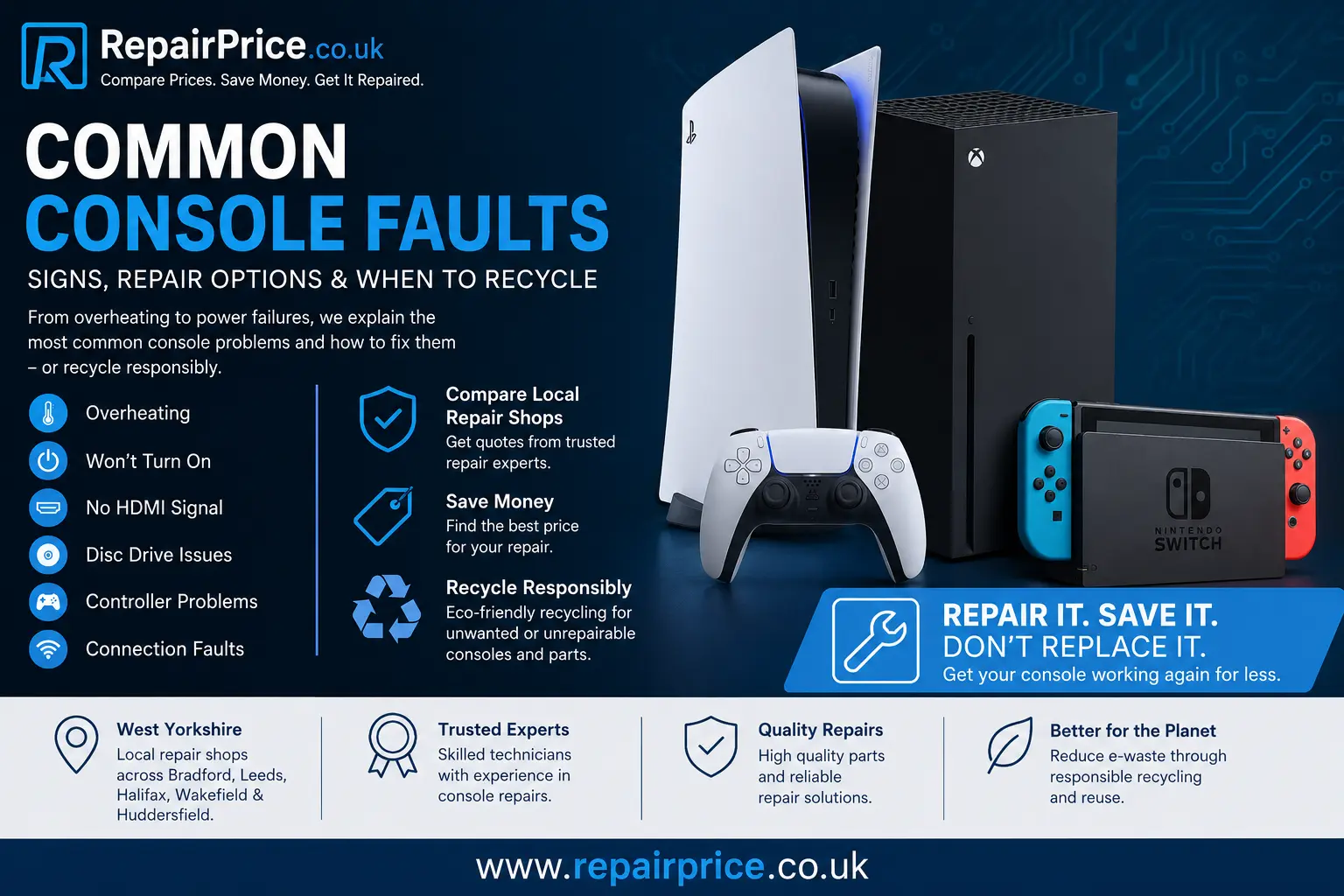
Common Console Faults: Warning Signs, Repair Options and When to Recycle
Modern games consoles are powerful entertainment systems, but long gaming sessions, restricted airflow, dust, damaged ports and ageing components can eventually cause faults. A console that suddenly switches off, displays no picture, refuses to read games or becomes unusually noisy may need professional attention. Identifying the symptoms early can help prevent a minor problem from developing into a more expensive motherboard or power-related failure.
This guide explains the most common console faults affecting PlayStation, Xbox and Nintendo systems. It also outlines which problems may be repairable, when professional diagnosis is recommended and how unwanted consoles can be recycled responsibly. RepairPrice.co.uk helps console owners compare repair options through local specialists rather than relying on one quotation.
Get Help with a Faulty Games Console
When basic troubleshooting has not solved the problem, visit our console repair comparison service to submit details of the fault. Local repair shops can assess the symptoms and provide suitable repair information based on the console model, its condition and the likely replacement parts required.
Ask About Console Repair or Recycling on WhatsApp
1. Console Overheating
Overheating is one of the most frequently reported console problems. Games consoles generate substantial heat while running demanding games, downloading updates or displaying high-resolution content. Internal fans and heatsinks are designed to control this temperature, but dust, restricted ventilation and worn thermal materials can reduce cooling performance.
Common overheating symptoms include loud fan noise, sudden shutdowns, warning messages, reduced performance, graphical glitches and an unusually hot outer casing. The console may operate normally for a few minutes before switching off as a protective measure.
Place the console on a firm, open surface with space around its ventilation openings. Avoid positioning it inside a tightly enclosed television cabinet, directly on a carpet or close to a radiator. Cleaning dust from the exterior vents may help, but opening the console without appropriate tools can damage cables, clips or internal components.
Persistent temperature problems may require internal cleaning, fan replacement, heatsink servicing or renewal of thermal paste. Our detailed console overheating troubleshooting guide explains the warning signs and practical steps in greater detail.
2. Console Will Not Turn On
A console that shows no lights, sound or fan movement may have a power supply fault, a damaged power socket, a failed internal fuse or a motherboard problem. Before arranging a repair, check that the wall socket works with another appliance and inspect the power cable for visible damage.
Disconnect the console from electricity for several minutes before reconnecting it. This can occasionally reset a temporary power protection state. Avoid repeatedly pressing the power button or connecting several untested replacement cables, as an incorrect cable or unstable power source could make the fault worse.
External power supplies used with certain console models can also fail. A technician may test the input voltage, power rails, charging circuit and motherboard for short circuits. Power faults should be diagnosed carefully because replacing a power supply will not resolve the problem when the underlying issue is elsewhere on the circuit board.
3. Console Turns On and Immediately Switches Off
A console that powers on briefly and then shuts down may be reacting to excessive heat, an unstable power supply or an electrical short. In some cases, the system recognises that an internal fan is not operating correctly and switches itself off to protect the processor.
Observe whether the console produces a warning light, beep, error message or fan noise before shutting down. These details can help a repair specialist narrow down the cause. Do not keep restarting the console repeatedly because continual power cycling can place additional stress on the power circuit and storage drive.
4. No Picture or Intermittent HDMI Output
HDMI problems are common because the port is regularly exposed to movement and physical pressure. A console may power on normally but display a blank screen, a flickering image, distorted colours or a message stating that no signal is detected.
Begin by testing a different HDMI cable and another television input. Where possible, connect the console to a second display. Check the HDMI port for bent pins, looseness or damage around the opening. A cable that only works when held at an angle often indicates a damaged socket or broken solder connections.
An HDMI port replacement requires specialist soldering equipment and experience working around small motherboard components. The fault may also involve an HDMI encoder, filter, retimer or related circuit rather than the physical port itself. Professional testing helps avoid replacing parts unnecessarily.
Because consoles are commonly connected to televisions, users experiencing display problems may also find our television repair comparison page useful. Testing both devices can determine whether the fault is caused by the console, cable or television input.
5. Disc Drive Will Not Read Games
Disc-reading faults can affect PlayStation, Xbox and Nintendo systems that use physical games. The console may reject discs, produce grinding noises, display an unreadable-disc message or repeatedly attempt to load without starting the game.
Inspect the disc for scratches, dirt or cracks and test another compatible game. Make sure the disc is inserted in the correct orientation. If several clean discs produce the same result, the optical laser, drive mechanism, rollers or internal drive electronics may be failing.
A noisy drive may contain a damaged gear, foreign object or misaligned component. Avoid forcing a disc into the slot or using unofficial cleaning products. Some modern consoles pair parts of the disc drive to the original motherboard, so a complete replacement drive may not function unless the original paired components are retained or transferred correctly.
6. Console Does Not Accept or Eject Discs
A disc that becomes stuck inside a console may be caused by a failed eject motor, stretched belt, damaged roller, broken gear or software freeze. Most consoles include a manual eject procedure, but the method varies between models.
Turn the system off and disconnect it from power before attempting the manufacturer-approved manual eject method. Never insert knives, screwdrivers or other metal objects into the disc slot. These can damage the disc, laser mechanism and electrical components.
When the same issue returns after the disc has been removed, the loading mechanism will probably need inspection. A repair shop can clean, realign or replace the affected drive components.
7. Controller Will Not Connect
Connection problems are not always caused by the controller. The fault may involve the console’s Bluetooth circuit, wireless antenna, USB port, software settings or controller battery. First, charge the controller fully and connect it using a known working data cable rather than a charge-only cable.
Restart the console and follow the correct pairing procedure. Test another controller when available. If several controllers fail to connect, the problem is more likely to be within the console. If only one controller is affected, it may need a battery, charging port, button or circuit-board repair.
Damaged USB sockets can prevent wired pairing and charging. A loose connection, bent internal tab or port that only works at a particular angle should be assessed before the surrounding motherboard tracks become damaged.
8. Damaged USB or Charging Ports
USB ports are used for controllers, storage devices, headsets and accessories. Repeated cable movement can loosen the socket or damage the internal contacts. A faulty port may stop recognising accessories, disconnect intermittently or provide no power.
Avoid continuing to use a port that feels loose. Movement can lift solder pads from the motherboard, turning a straightforward port replacement into a more complex circuit repair. A technician can inspect the physical connector, test its power output and check whether the data lines are functioning correctly.
Console owners who also have damaged computers or gaming laptops can compare relevant options through our laptop repair service. Similar port, power and overheating faults can affect both devices.
9. Console Is Extremely Slow or Freezing
Slow menus, long loading times, installation failures and frequent freezing may be linked to storage problems, corrupted system software or insufficient free space. Older hard drives can develop weak sectors that make the console repeatedly attempt to read the same data.
Back up important saved data where possible before carrying out resets or storage work. Delete unused games, complete available system updates and restart the console. If the problem continues, the internal hard drive or solid-state storage may need testing.
Do not initialise or factory-reset the console until you understand what information will be removed. A reset may solve software corruption, but it will not repair a physically failing drive. Continued use of damaged storage can lead to further data loss.
10. Games Crash or Display Error Codes
A game that repeatedly closes may be affected by corrupted installation data, an incomplete update, storage failure, overheating or a software compatibility issue. Record the complete error code and check whether the fault affects one game or several titles.
Reinstalling a single affected game may resolve damaged game files. When multiple games crash, the problem may be related to system software, storage, memory or temperature. Error codes are useful diagnostic clues, but similar codes can sometimes have several possible causes.
11. Unusual Fan, Clicking or Grinding Noises
A healthy console normally produces some fan and disc-drive noise, particularly during demanding gameplay. New clicking, scraping, buzzing or grinding sounds should not be ignored. These noises may indicate a worn fan bearing, obstructed fan blade, failing hard drive or damaged disc mechanism.
Switch the console off if the noise is severe or accompanied by overheating. Continuing to use a failing fan could allow internal temperatures to rise rapidly. A clicking mechanical hard drive may also be close to complete failure.
12. Wi-Fi or Online Connection Problems
Online gaming problems may originate from the router, internet provider, account settings or console hardware. Test another device on the same network, restart the router and console, and try a wired connection where possible.
If the console detects no wireless networks while nearby devices work normally, its antenna or wireless module may be faulty. Poor signal after the console has been dropped or opened can also indicate that an antenna cable has become loose or damaged.
Mobile devices can experience comparable Wi-Fi and charging issues. Users with additional damaged devices can visit our mobile phone repair comparison service for further support.
Brand-Specific Console Repair Options
Although many symptoms are similar, internal designs and repair procedures differ between manufacturers. The console model, motherboard revision and previous repair history can all affect the diagnosis.
PlayStation owners can explore support for HDMI faults, overheating, power failures and disc-drive problems through our Sony PlayStation repair page. For more information about likely PlayStation 5 repair considerations, read our PS5 repair cost and fault guide.
Xbox owners experiencing startup errors, storage faults, damaged ports or cooling issues can visit the Microsoft Xbox repair service page. Our separate Xbox repair services guide explains common repair categories and diagnostic considerations.
Nintendo systems may develop charging-port damage, display problems, battery faults, card-reader issues or controller connection problems. Visit our Nintendo console repair comparison page to find suitable support for Switch and other Nintendo devices.
Should You Repair or Replace a Faulty Console?
The decision depends on the console’s age, condition, current resale value and estimated repair cost. A relatively modern console with an isolated HDMI, fan, power or disc-drive fault may be worth repairing. Repairing can also preserve installed games, settings and accessories that remain compatible with the system.
Replacement may be more practical when the console has severe liquid damage, extensive motherboard corrosion, several simultaneous faults or a repair cost close to the value of a working replacement. However, a diagnosis should usually be obtained before assuming the console cannot be repaired.
Provide the repair shop with accurate information about what happened before the fault appeared. Mention drops, liquid exposure, electrical surges, previous repairs and any unusual sounds or error codes. Clear details can improve the initial assessment and reduce unnecessary testing.
Compare Quotes from Console Repair Shops
Console Repair Services Across West Yorkshire
RepairPrice.co.uk connects users with repair options in several West Yorkshire locations. Customers looking for support in Bradford can use our Bradford console repair quote service.
For faults affecting PlayStation, Xbox or Nintendo systems in Leeds, visit the Leeds games console repair page. Customers closer to Calderdale can compare options through our Halifax console fault repair service.
Console owners in Wakefield can submit their repair requirements through the Wakefield console repair comparison page. Support is also available through our Huddersfield games console repair network.
What to Do Before Sending a Console for Repair
Remove any game discs, memory cards and unnecessary accessories unless the repair shop specifically requests them. Back up saved data where the console remains operational. Sign out of personal accounts when possible and make a note of the console’s serial number.
Use protective packaging if the console must be transported. Wrap the device securely and prevent it from moving inside the box. Do not place loose controllers, power supplies or cables directly against the console because they can scratch or damage the casing.
Describe the fault accurately rather than only stating that the console is broken. Explain how long it runs, which lights appear, whether sound is produced and what troubleshooting has already been completed.
Recycle Consoles That Cannot Be Economically Repaired
A console that is beyond economical repair should not be placed in general household waste. Games consoles contain plastics, metals, circuit boards, cables and electronic components that should be processed through an appropriate recycling route.
Our dedicated games console recycling service provides information for unwanted, damaged and obsolete systems. You can also visit the main electrical recycling service hub for support with additional electronic devices.
Recycling helps recover reusable materials and reduces the volume of electronic equipment sent to landfill. It can be suitable for consoles with severe motherboard damage, extensive corrosion, missing components or faults that cost more to repair than the device is worth.
Recovering Circuit Boards and Internal Components
Games consoles contain populated circuit boards with processors, connectors, memory components and metal-bearing materials. These boards require specialist processing and should not be dismantled casually or burned to recover metals.
Some lower-grade electronic boards may be processed through our Class 3 circuit board recycling information page. Internal add-on boards, communication cards and similar components may also fall within our electronic expansion card recycling category.
Keeping circuit boards within a controlled recycling stream supports safer material recovery. It also reduces the risk of hazardous substances entering general waste systems.
Frequently Asked Questions About Console Faults
Can a console HDMI port be repaired?
Many damaged HDMI ports can be replaced, provided the motherboard pads and surrounding components have not suffered extensive damage. A technician should also test the HDMI circuit because the socket may not be the only faulty component.
Why does my console keep overheating?
Possible causes include blocked vents, internal dust, a failing fan, dried thermal material or poor placement. Persistent overheating should be investigated before it damages other components.
Is it worth repairing an older console?
It may be worthwhile when the repair cost is reasonable, the console has sentimental value or compatible games and accessories are still used. Comparing repair estimates with the cost of a suitable replacement can help you decide.
Can water-damaged consoles be repaired?
Some liquid-damaged consoles can be restored when they are disconnected quickly and corrosion is limited. Success depends on the liquid involved, how long the device remained powered and which components were affected.
Should I keep restarting a console that switches off?
No. Repeatedly restarting a console with a power, overheating or short-circuit fault may increase the damage. Disconnect it and arrange a professional assessment.
How should I dispose of an unrepairable console?
Use an electrical recycling service rather than placing it in household rubbish. Suitable recycling allows circuit boards, metals, plastics and other materials to be separated and processed responsibly.
Find the Right Solution for Your Console
Console faults can range from simple cable and software issues to complex motherboard failures. Testing the obvious external causes first can save time, but damaged ports, recurring shutdowns, severe overheating and electrical faults should be handled by an experienced repair specialist.
Obtaining a diagnosis allows you to compare the likely repair cost with the value of the console. When repair is practical, it can extend the life of the device and avoid unnecessary replacement. When restoration is no longer economical, responsible console and circuit-board recycling provides a better alternative to disposal in general waste.