Last updated: September 2026
Old hard disk drives can contain personal or business data even when they no longer work. Repair Price helps you enquire about recycling complete desktop, laptop and server drives, with the data treatment agreed before collection. Tell us what drives you have, how many there are and whether you need documented destruction.
There is no dependable single price for every hard drive. A quote depends on the number and weight of drives, their condition, whether they can be reused, the collection location and the required data destruction. The table shows how each category is assessed; it does not present an unverified September 2026 rate as a guaranteed payment.
| Drive type | Typical source | How value is assessed | Price |
|---|---|---|---|
| 3.5-inch desktop HDD | Desktop PCs and external enclosures | Quantity, total weight, condition and data treatment | Quote required |
| 2.5-inch laptop HDD | Laptops and portable drives | Batch size, drive mix and handling requirements | Quote required |
| Enterprise or server HDD | Servers, NAS units and storage arrays | Inventory, quantity, reuse potential and audit requirements | Individual or bulk quote |
| Damaged or unreadable HDD | Failed computers and broken storage devices | Damage, contamination and whether physical destruction is needed | Assessment required |
For a meaningful quote, provide the approximate drive count, the mix of 2.5-inch and 3.5-inch units, whether any drives are damaged, and your postcode. Ask whether collection and data destruction costs are included. If your clearance also contains computer boards, compare the separate computer circuit board recycling price guide.
Deleting files, formatting a disk or removing its external circuit board does not by itself establish that the stored data is gone. Decide how each drive should be treated before it leaves your control. A working drive considered for reuse may be suitable for an appropriate, verified sanitisation process. A failed drive or one containing particularly sensitive information may need physical media destruction.
The National Cyber Security Centre's storage-media sanitisation guidance explains why the method should match the device and the sensitivity of its data. For a related local service, see data destruction options for Manchester IT equipment.
A hard disk drive (HDD) stores data magnetically on spinning platters. A solid-state drive (SSD) stores data in flash memory and has no spinning parts. Both can contain sensitive information after removal from a computer, but their construction affects how they should be assessed, sanitised and recycled.
HDDs are commonly found in older laptops, desktop PCs, servers and external drives. Their metal casing, circuit board and other components can be separated during specialist recycling. SSDs contain a circuit board and memory chips, so they should be identified separately when you request a recycling quote.
Data destruction must suit the drive type. A method intended for a magnetic HDD may not reliably sanitise an SSD. Tell the provider whether your batch contains HDDs, SSDs or hybrid drives, and agree the required erasure or physical destruction method before collection.
| Feature | HDD | SSD |
|---|---|---|
| How data is stored | Magnetic platters | Flash memory chips |
| Moving parts | Spinning platters and read/write heads | None |
| Recycling assessment | Complete drive, metal casing and controller board | Circuit board, memory chips and casing |
| Data treatment | Suitable verified erasure or physical destruction | SSD-appropriate sanitisation or physical destruction |
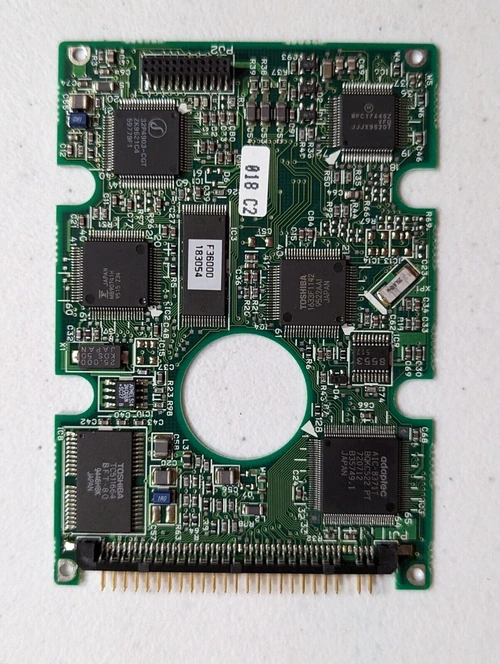
If you have a mixed batch, list HDDs and SSDs separately and include the approximate quantity of each. For complete hard drives, use this UK HDD recycling price guide; for boards already removed from drives, see the hard drive circuit board recycling service. Removing an HDD’s circuit board does not destroy the data on its platters.
Keep complete drives together and label any box that contains data-bearing equipment. Separate loose circuit boards from complete drives, and identify drives with fire, water or physical damage. Do not open an HDD enclosure to try to destroy its contents yourself.
For a larger workplace clearance, explore business IT collection in Manchester and IT asset disposal for retired Manchester equipment. If the drives are still inside PCs, Manchester computer recycling options cover the wider device.
Collection arrangements depend on the quantity of equipment, the required data treatment and local availability. These pages provide location-specific starting points for enquiries:
Hard drives often arrive with monitors, cables, computers and other electrical equipment. See Manchester IT recycling for mixed workplace equipment or electronics recycling for a wider Manchester clearance. Keep storage media identified within a mixed load so its data treatment is agreed separately.
If dismantling has produced other recoverable boards, review computer PCB recycling for stripped equipment and scrap motherboard price guidance. For more detail on separating drive boards from complete HDDs, read the hard drive circuit board recycling guide. The Manchester computer recycling guide covers the wider equipment-clearance decision.
Value depends on drive type, quantity, condition, collection costs and data treatment. Provide a drive count and postcode to obtain a current quote; a per-kilogram figure alone may not reflect the final amount payable.
A failed drive may still contain recoverable materials. Describe the damage when enquiring and treat it as data-bearing unless the data has been securely dealt with.
No. An HDD generally stores user data on its internal platters. Removing the controller board should not be treated as proof of data destruction.
They may be included in one enquiry, but list them separately so the provider can assess the material and agree suitable data treatment for each type.
Yes. State what records you require before booking, including any inventory, asset identifiers or destruction confirmation. Confirm the available documentation in the quotation.
Hard disk recycling should separate desktop, laptop and enterprise drives where practical because quantities, reuse potential and data-destruction requirements differ. A failed HDD can still contain recoverable information, so agree the sanitisation or destruction method before collection.
For mixed computer equipment, use the UK e-waste price guide. If circuit boards have already been removed from drives, keep them separate from complete data-bearing HDDs so the recycling and data-security requirements are not confused.